

Sidebar
You can shape what everyone in your organization sees in the left sidebar: pin the apps people should be able to find in one click, and set the links at the bottom, such as your help center or an internal portal.Only Organization Admins (
org:admin) can change the sidebar, because it affects every member. See Roles & Permissions.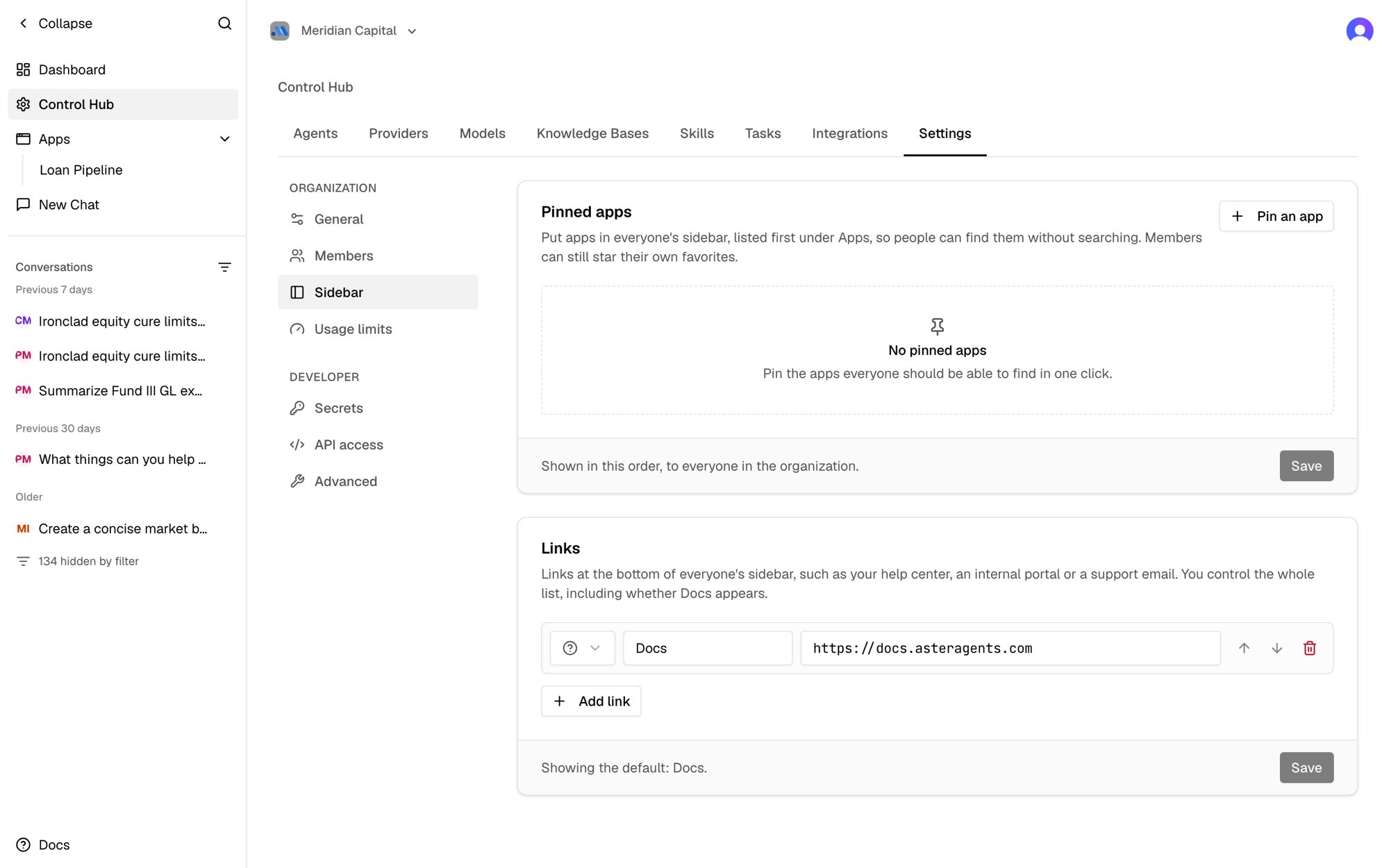
Pinned apps
Pinned apps appear first under Apps in every member’s sidebar, in the order you choose, with a small pin icon. People who join later see them too.- Click Pin an app and search for the app.
- Use the arrows to put pinned apps in order, or the trash icon to unpin one.
- Click Save.
Links
The links at the bottom of the sidebar default to Docs. You can replace them with your own, for example your help center, an internal portal, or a support email address.- Click Add link.
- Pick an icon, enter a label, and enter the URL.
- Use the arrows to reorder links, or the trash icon to remove one.
- Click Save.
- URLs must start with
https://,http://, ormailto:. - Web links open in a new tab, and
mailto:links open the person’s email app. - You can add up to 8 links, with labels up to 40 characters.